How to create a website banner that stands out?
Want your online banner to cut through the noise and actually perform? You’re in the right place. Below, you’ll find a clear, experience-driven breakdown of what makes web banners effective so you can create banners that don’t just look good, but convert.
Whether you’re working with a banner maker, using professionally designed templates, or building a custom banner from scratch, the principles remain the same.
As you browse the web, you’re constantly exposed to banner ads. They’re one of the most widely used tools in digital marketing and for good reason. A well-designed website banner can:
- Increase brand awareness.
- Reach your target audience.
- Encourage clicks and conversions.
But here’s the catch: not every banner works. To create a perfect banner, you need to follow a few essential rules.
What is a website banner?
A website banner is a form of online advertising that combines images, text, and design elements to capture attention and prompt a specific action usually clicking through to a landing page or offer.
At the heart of every effective banner is a strong call to action, whether it’s a download button, a “Shop Now” prompt, or something more creative.
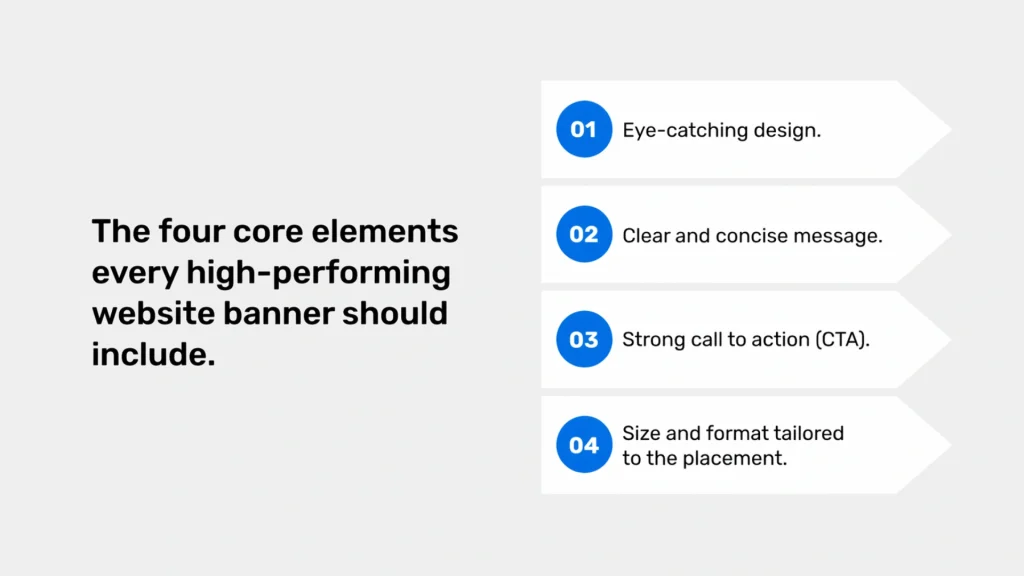
A high-performing digital banner typically includes:
- A design that grabs attention.
- A clear, concise message.
- A strong, visible call to action.
- The optimal banner size and format for the platform.
These are the foundations of any professional-looking banner.
Types of web banners
There’s no one-size-fits-all approach. The type of banner you choose should depend on your campaign goals, platform, and audience.
Static banners
Simple, easy to create, and still effective. These use a single image and text, ideal if you want something quick and clean.
Animated banners (GIFs)
Lightweight animations that add movement and increase engagement. Often outperform static banners.
HTML5 banners
Interactive and dynamic. These can include animation, video, and user-triggered elements.
Responsive banners
Designed to easily resize across devices and screen sizes, essential for mobile-first campaigns.
Video banners
Short clips commonly used on platforms like YouTube. Great for storytelling and impact.
Expandable banners
They grow when hovered over or clicked, offering more space for your message.
Remarketing banners
Target users who’ve already interacted with your brand, highly effective for conversions.
Designing a banner that converts
The success of your banner design depends on three things: creativity, clarity, and understanding your audience.
1. Visual hierarchy matters
Decide what should be seen first. Use contrast, size, and placement to guide the eye.
2. Keep it simple
Avoid clutter. A beautiful banner is often a simple one.
3. Use a clear CTA
Your call to action is the bridge between interest and action. Make it stand out.
Examples:
- “Unlock Your Potential”.
- “Get Free Delivery for a Month”.
4. Stay on brand
Use your color palette, fonts, and logo consistently to maintain a cohesive look.
Using banner templates and tools
You don’t have to start from scratch. Tools like Canva, BannerBoo, or Adobe Spark solutions offer free banner templates (banner creator) and drag and drop editors.
They allow you to:
- Customize layouts
- Upload your own images or own photos
- Add icons, shapes, and other design elements
- Create banners in just a few clicks
This is especially helpful if you don’t have a design background.
Optimizing your banner design
A great online banner should be:
- Scalable – works across different dimensions and banner sizes.
- On brand – aligned with your visual identity.
- Minimalist – avoids overload.
- Responsive – adapts to all devices.
- Fast-loading – crucial for animated banners.
Banner functionality
Online banners should above all be useful, which means they need to be well designed from a UX (user experience) perspective. So how can you improve their functionality?
One effective approach is to incorporate interactive elements, such as subtle animation or click-based reactions, which can significantly increase user engagement. When users can interact with a banner, they are more likely to remember it and follow through with the intended action.
At the same time, if you want your banner to perform well, you need to regularly monitor its effectiveness and campaign results using analytics tools such as Google Analytics. Pay attention to metrics like CTR, the percentage of users who clicked on the banner as well as the conversion rate. It’s also worth creating multiple versions of your banner and running A/B tests to determine which one delivers the best results.
Checklist: How to create an effective banner
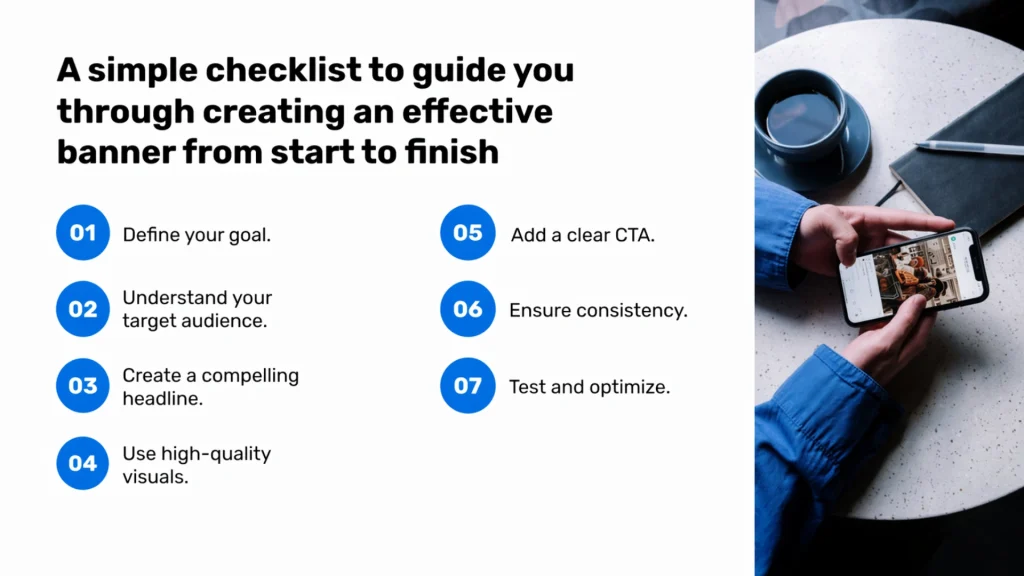
Use this checklist when working on your next banner project:
- Define your goal.
- Understand your audience.
- Write a compelling headline.
- Use high-quality images or graphics.
- Add a strong call to action.
- Keep everything visually consistent.
- Test and optimize.
Common mistakes in banner design
In my view, there’s nothing worse than a banner overloaded with information and visuals. Too much text or too many graphic elements can overwhelm users and discourage them from engaging. This often leads to a lower CTR and contributes to what’s known as banner blindness.
A similar effect occurs when the font is too small or difficult to read. A banner should communicate a clear and simple message, not force users to strain their eyes to understand it.
Another common mistake is the lack of a clear and visible call to action. If users don’t know what to do after seeing the banner, they simply won’t act.
Ignoring the specifics of your audience, their needs, expectations, and preferences, is another frequent issue. When a banner isn’t tailored to its target audience, it usually fails to generate interest.
Finally, one of the most common UX mistakes is placing banners in a way that disrupts the browsing experience. Overly intrusive ads that cover content can frustrate users, leading them to leave the site or block ads altogether.
How to avoid banner design mistakes
First and foremost plan ahead. Create a clear concept before you start designing your banner.
Secondly, test your banner across different devices and in various contexts to make sure it performs well everywhere.
It’s also important to gather feedback consult your team or even potential users to gain fresh perspectives.
And finally, don’t be afraid to make changes. Iteration and continuous improvement are key to creating effective banners.
Banner creation tools
Web Banner Maker BannerBoo is a tool specifically designed for creating professional web banners. It offers a wide range of templates and customization options, along with an intuitive interface that makes the design process much easier.
- Other popular banner creation tools include Canva, which is great for beginners thanks to its extensive template library.
- Adobe Creative Suite, on the other hand, provides advanced tools for professional designers who need full creative control.
- Crello is a strong alternative to Canva, particularly when it comes to animated banners.
- Bannersnack is another option, especially useful for creating full banner sets across different platforms.
Cost of creating web banners
The cost of creating a banner depends on its complexity, format, and the experience of the designer.
Simple banners can cost anywhere from a few dozen to a few hundred PLN, while more advanced designs, such as animated banners, can reach several thousand PLN.
It’s worth aligning the cost with your campaign budget, keeping in mind that a professionally designed banner is an investment rather than an expense.
Design service pricing
The cost of banner design services can vary significantly depending on the complexity of the project and the designer’s experience.
- Basic static banners typically cost around 50–200 PLN.
- Animated GIF banners usually range from 200 to 500 PLN.
- More advanced HTML5 banners can cost anywhere from 500 to 2000 PLN or more.
We’ll create a banner for you
Looking for a professional banner that captures attention and drives conversions? At Rodin, we create web banners that stand out and attract customers.
Take advantage of our offer and let us help you achieve your marketing goals. Feel free to get in touch!
Frequently asked questions
You can use a banner generator or free banner maker with drag and drop functionality. Tools like Canva let you create banners in just a few clicks.
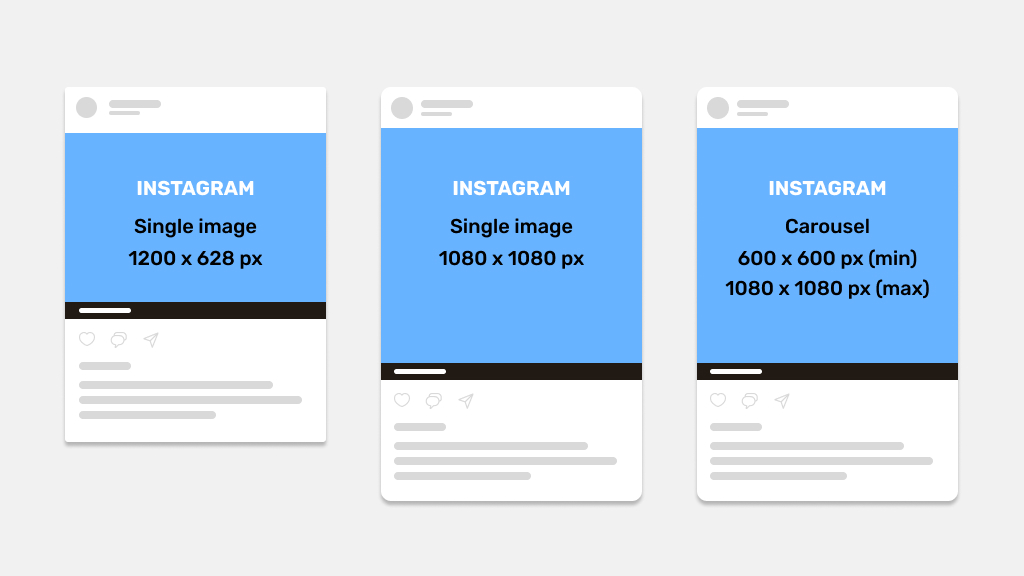
It depends on the platform. Popular formats include leaderboard (728×90) and wide skyscraper (160×600), but responsive designs are now the standard.
If you want speed and consistency, go with professionally designed templates. For full control, create your own banner.
Focus on contrast, a strong headline, and a clear call to action. Keep your message simple and aligned with your brand’s message.
Often, yes. Animated banners can grab attention more effectively, but only if they’re subtle and not distracting.
Absolutely. Most tools let you upload your own images or own photos, which helps maintain authenticity and brand consistency.
You can place them on websites, social media channels like Facebook, YouTube, or Twitter, and across various ad networks.
In fact, adapting your design into social media banners is a smart way to maintain a consistent presence across your social media profiles.
There’s no single formula, but the best banners combine strong visuals, a clear message, and a compelling CTA.
They also align with the audience, platform, and campaign goal. Sometimes that means bold and dynamic, other times minimal and clean, but always intentional.