

A modern FAQ page is much more than a simple list of questions and answers. When planned strategically, it becomes a comprehensive resource that helps website visitors move smoothly through the buying process, removes uncertainty, and encourages confident purchasing decisions. It can also strengthen your SEO strategy by helping your website appear for relevant questions, specific keywords, and featured snippets.
What is an FAQ?
FAQ stands for Frequently Asked Questions. An FAQ section is a place on your own website where you answer the most common questions users ask about your products, services, policies, payment options, shipping options, or customer support.
A good FAQ page gathers the actual questions your customers ask most often and provides straightforward answers in one place. Instead of forcing visitors to search through multiple service pages, product pages, or your contact page, an effective FAQ page gives them quick access to the information they need.
Today, frequently asked questions sections are a standard feature on many websites. They appear on e-commerce stores, SaaS platforms, company websites, blogs, and help centers. Depending on your goals, you can create a separate page dedicated entirely to FAQ content or add an FAQ section to individual pages such as product pages or service pages.
The history of FAQ sections
The first FAQ pages appeared in the 1990s, when companies began looking for a simple way to answer repetitive questions online.
- In the late 1990s, FAQ sections started to include categories, tags, and basic search functionality.
- In the early 2000s, businesses expanded FAQ content into larger help center systems and knowledge bases.
- During the 2010s, FAQ pages became connected with social media and live customer support.
- Today, FAQ pages are increasingly personalized. Many businesses use browsing history, previous purchases, or user behavior to display more relevant questions and detailed answers.
Modern FAQ content also uses schema markup. Adding FAQ schema helps search engines understand your page more effectively and can improve visibility in search results. In some cases, FAQ answers may even appear directly in featured snippets.
Need help creating an FAQ section?
If you need support creating a thoughtful, effective FAQ section that attracts more customers and reduces the workload of your customer service team, trust the experts at Rodin. We have extensive experience creating FAQ content that not only answers common questions, but also improves the customer experience and supports your overall SEO strategy.
We can create a brand-new FAQ page for your business or optimize your existing FAQ section so it performs better in search engines and is easier for website visitors to use. We make sure your FAQ content includes relevant keywords, addresses the actual questions your customers ask, and provides clear, straightforward answers that help users move through the buying process with confidence.
Our goal is to create an effective FAQ page that allows customers to quickly find answers on their own, while significantly reducing the number of repetitive questions sent to your customer service team. A well-crafted FAQ section can also increase consumer trust, improve website navigation, and help your business attract more organic traffic.
Why every website needs an FAQ page?
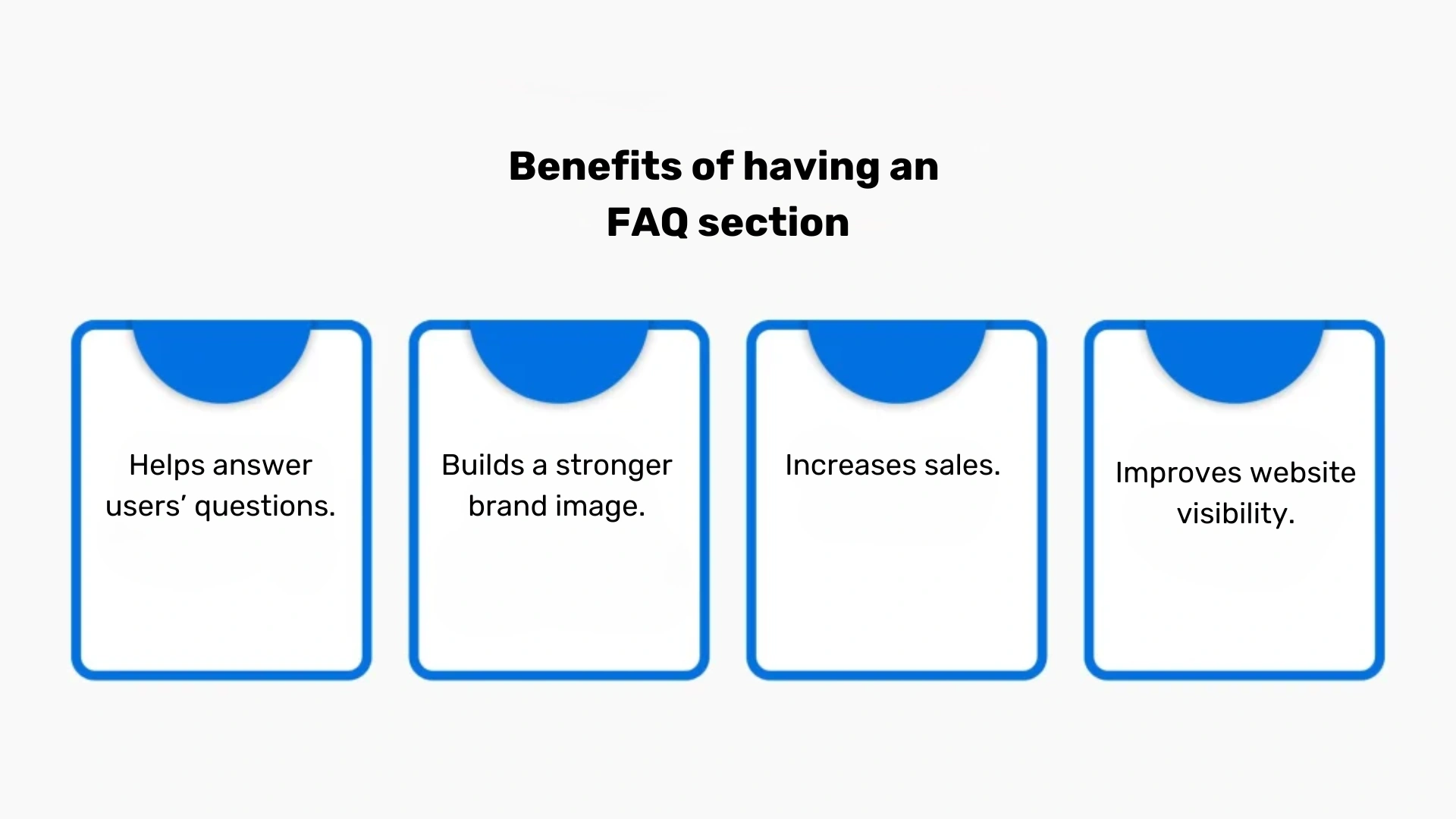
It reduces pressure on your customer service team
Many customer inquiries are repetitive. Users repeatedly ask about delivery times, return policies, payment options, account access, product availability, or shipping costs.
When you provide answers to common questions in a visible FAQ section, customers can find answers on their own. This self service approach reduces the number of emails and phone calls sent to your customer service team, saving time and lowering support costs.
It improves the customer experience
Customers want immediate information. If they cannot quickly answer questions about your offer, they often leave your website and continue searching elsewhere.
A great FAQ page helps users move through the buying process with confidence. It removes friction, addresses burning questions, and provides concise answer formats that are easy to understand. This creates a smoother customer experience and increases consumer trust.
It supports purchasing decisions and increases sales
Potential customers often visit an FAQ page before placing an order. They want to know:
- How long shipping takes.
- What payment options are available.
- Whether they can return a product.
- If there is a warranty.
- How customer support works.
When visitors receive clear and detailed answers, they are more likely to become paying customers. A strong FAQ page can therefore increase sales and improve conversions.
It strengthens SEO
An FAQ page can be a powerful SEO tool. Because it contains real customer questions, it naturally includes relevant keywords and long-tail phrases.
Search engines value FAQ content because it closely matches what users type into the search bar. A good FAQ page may rank for specific keywords that do not fit naturally on your home page or service pages.
Well-crafted FAQ content can:
- Increase organic traffic.
- Improve website navigation.
- Help your site appear in search results for more customer inquiries.
- Support featured snippets.
- Improve visibility in voice search.
- Encourage visitors to spend more time on your website.
How to create an FAQ that actually works?
Creating an FAQ should never be an afterthought. The best FAQ pages are built around real customer needs.

1. Collect the actual questions your customers ask
Before you create an FAQ, gather the most common questions from every available source:
- Emails sent to your company.
- Calls handled by your customer service team.
- Messages on social media.
- Comments on blog posts.
- Review sites.
- Product reviews.
- Google autocomplete suggestions.
- Google Search Console.
- Internal search bar data.
Using Google Search Console is especially useful because it shows which relevant keywords and service questions already drive visitors to your website. Those search queries often reveal the exact phrases your target audience uses.
For example, if you own a flooring company and customers repeatedly ask, “How long does parquet floor restoration take?”, that topic should become part of your own FAQ page.
2. Write clear and concise answers
A concise answer is usually more effective than a long, complicated explanation. The best FAQ questions should have:
- Straightforward answers.
- Short paragraphs.
- Clear language.
- No unnecessary jargon.
- One main topic per answer.
Whenever possible, begin with “Yes” or “No.” Then follow with more detailed answers if the subject requires additional explanation.
For example:
Do you offer free shipping?
Yes. We offer free shipping on all orders above €50. Orders below that amount are subject to a standard delivery fee. This format is easier for website visitors to scan and understand.
3. Organize your FAQ into clear categories
A well organized FAQ is easier to use than one long page full of unrelated questions. Divide your FAQ section into categories such as:
- Product information.
- Payment options.
- Shipping options.
- Returns and refunds.
- Technical support.
- Account management.
- Privacy and security.
- Promotions.
- Customer service.
Place the most important or most frequently viewed categories near the top of the page. That way, users can quickly find answers to the most common inquiries.
If your business covers many topics, consider creating a separate page for each category or adding FAQ blocks to individual pages. For example, shipping questions can appear on product pages, while service questions can be added to your service pages.
4. Make the page easy to scan
Many website visitors do not read every word. They scan. To make your FAQ page easier to use:
- Use headings and subheadings.
- Highlight important information in bold.
- Add bullet points where appropriate.
- Include expandable sections.
- Use short paragraphs.
- Add a search bar if the FAQ is extensive.
A search bar is especially useful when your FAQ becomes a larger help center or comprehensive resource.
5. Use FAQ schema markup
Schema markup tells search engines that your content contains questions and answers. Adding FAQ schema can improve how your page appears in search results. In some cases, search engines may display your FAQ questions directly below your listing, making your result larger and more visible.
Schema markup may also help your page earn featured snippets. That can significantly improve click-through rates and drive more organic traffic.
The best places to add FAQ content
There is no single correct location for FAQ content. The best structure depends on your website.
You can add:
- A dedicated FAQ page on your own website.
- A small FAQ section on the home page.
- FAQ blocks on product pages.
- FAQ content on service pages.
- A support center or help center.
- Individual pages focused on one specific topic.
For example, an online clothing store may place sizing questions on product pages, while return and shipping options belong on a separate page.
Adding FAQs to individual pages often improves SEO because the content matches the exact topic users are searching for.
How FAQ helps SEO?
FAQ content works well for SEO because it mirrors how users search online.
Instead of targeting only broad phrases, a strong FAQ page allows you to rank for more specific keywords and relevant questions. These phrases often have less competition and attract visitors who are closer to making purchasing decisions.
For example, instead of targeting only “running shoes,” you could answer:
- Which running shoes are best for beginners?
- Do running shoes come with free returns?
- How long does shipping take for running shoes?
These kinds of faq questions align with real user intent and attract more qualified traffic.
A good faq also improves internal linking. You can connect answers to your service pages, product pages, contact page, or additional resources. This improves website navigation and helps search engines understand the structure of your website.
We’ll carry out an effective audit of your website
Get to know Rodin and take advantage of our free website audit to discover how you can improve your position in search results. A professional SEO audit is the first step toward increasing your website’s visibility, attracting more organic traffic, and turning more website visitors into paying customers.
As part of our free SEO audit, you will receive:
- A detailed analysis of your website’s current position in Google and how it compares with competitors.
- Clear guidance on the most common SEO mistakes that may be limiting your visibility in search engines.
- Practical recommendations and specific actions that can improve your rankings, strengthen your SEO strategy, and increase traffic to your website.
Our audit also helps identify issues that may affect the performance of your FAQ page, service pages, product pages, and overall website navigation. We review whether your content uses relevant keywords, whether your FAQ section answers common questions effectively, and whether your site is properly optimized for search engines.
Taking advantage of a free audit from Rodin is an excellent first step toward improving your search visibility. It is also a great opportunity to see how we work, learn more about our approach, and begin working with specialists who know how to build an effective online presence and deliver measurable marketing results.
How to monitor the performance of an FAQ section?
Why should you monitor your FAQ performance? Tracking the performance of your FAQ page allows you to continuously improve and maintain the effectiveness of this part of your website. As your business grows and you introduce new products or services, your FAQ section should evolve as well, adapting to changing customer expectations and new types of customer inquiries.
To evaluate whether your FAQ page is truly working, it is worth focusing on several key areas:
- Use tools such as Google Analytics to monitor traffic on your FAQ page. This allows you to track the number of visits, the average time users spend on the page, and the bounce rate. These metrics provide valuable insights into whether your FAQ content is useful and engaging. For example, if users spend a long time on the page, it may indicate that they are finding detailed answers and interacting with your content. On the other hand, if they leave the page almost immediately, it could mean that the FAQ section is outdated, poorly organized, or missing relevant questions.
- Add a short survey below each answer, such as: “Was this answer helpful?” with “YES” and “NO” buttons. This is a simple but highly effective way to collect direct feedback from website visitors. Companies such as Airbnb use this method to refine and improve their own FAQ page on an ongoing basis. Feedback of this kind makes it much easier to identify which answers common questions successfully and which ones still need improvement.
- Regularly review the number and type of questions sent to your customer service team. This is one of the clearest indicators of whether your FAQ section is doing its job. If you notice that repetitive questions related to payment options, shipping options, returns, or service questions begin to decrease, it is a strong sign that your FAQ content is effectively helping users find answers on their own.
- Track the relevant keywords that lead users to your FAQ page by using tools such as Google Search Console. This helps you understand which specific keywords, search terms, and actual questions are driving organic traffic to your website. Thanks to this information, you can adjust your FAQ content to better reflect the language your target audience uses and expand the page with additional answers common questions.
- Analyze user journeys to understand how visitors move through your website before and after viewing the FAQ section. For example, do they continue to product pages, service pages, or the contact page? Do they leave the website immediately afterward, or do they continue through the buying process? This kind of analysis can reveal whether your FAQ page is helping with purchasing decisions, improving website navigation, and supporting converting customers.
Updating your FAQ section
To remain valuable and relevant, an FAQ section must be updated regularly. As your business evolves, launches new products, introduces new services, or changes internal procedures, new customer inquiries naturally appear. For that reason, you should review your questions and answers consistently to ensure they still reflect the current needs of your audience and provide accurate, up-to-date information.
One of the most valuable sources of new FAQ questions is your customer service team. Because they speak with customers every day, they know exactly which issues, concerns, and burning questions come up most frequently. Their feedback can help you identify content gaps and discover which topics deserve more detailed answers.
It is also worth encouraging your customers themselves to suggest new questions that should be included in your FAQ section. You can do this by adding a small feedback form, a prompt below your FAQ content, or a simple option on your contact page. This approach ensures that your FAQ continues to reflect the real concerns of your target audience and remains a truly comprehensive resource.
A regularly updated FAQ page not only improves the customer experience but also supports your SEO strategy. Search engines prefer fresh, relevant content, so expanding your FAQ with new questions and answers can help your website appear for more specific keywords and gain additional visibility in search results.
FAQ best practices
Creating an effective FAQ page requires more than simply writing down a few questions and answers. To build a section that supports both users and search engines, you need to follow several proven best practices.
The most important step in creating a useful and effective FAQ page is identifying the questions your customers ask most often. To do this, carefully analyze customer interactions and focus on the most common inquiries related to products, services, payment options, shipping options, returns, complaints, and technical issues. A good FAQ page should answer these questions clearly and naturally, helping potential customers feel more confident throughout the buying process.
Questions should be organized logically so that users can find answers quickly and without frustration. For example, general topics such as “What is an FAQ?” or “How does your company work?” can appear in one category, while more detailed service questions or product-specific issues should be grouped into separate sections. A well organized FAQ makes the page easier to scan and significantly improves the overall customer experience.
The answers themselves should always be clear, concise, and specific. Whenever possible, begin with “Yes” or “No” before expanding on the topic. This gives users an immediate response while still allowing you to provide more detailed answers underneath.
Avoid technical jargon and overly complicated language unless it is absolutely necessary. Most website visitors are looking for straightforward answers, not industry terminology. The best FAQ content explains even complex topics in a way that is easy to understand.
At the same time, your FAQ page should always stay current. As soon as you introduce a new product, update your shipping policy, change payment options, or add new service pages, your FAQ section should reflect those changes. Outdated information can damage consumer trust and create confusion among potential customers.
It is also essential to include relevant keywords naturally throughout your FAQ content. Using the same language that your target audience types into search engines increases the likelihood that your page will appear in search results. This is particularly important for long-tail phrases and specific keywords related to common customer inquiries.
When designing the layout of your FAQ page, always think about usability. Features such as expandable answers, collapsible sections, bullet points, and a search bar make the page much easier to navigate. If your FAQ becomes extensive, adding a search bar can transform it into a much more effective help center and allow users to find answers faster.
A great FAQ page should cover not only your products and services, but also the concerns, doubts, and expectations your customers may have before making a decision.
Inspiring examples of great FAQ pages
Many well-known companies prove that a carefully designed FAQ section can become a valuable support tool for users. Brands such as Zalando, IKEA, Amazon, and MediaMarkt demonstrate how to build a functional, user-friendly FAQ page that answers frequently asked questions and helps website visitors quickly find the information they need.
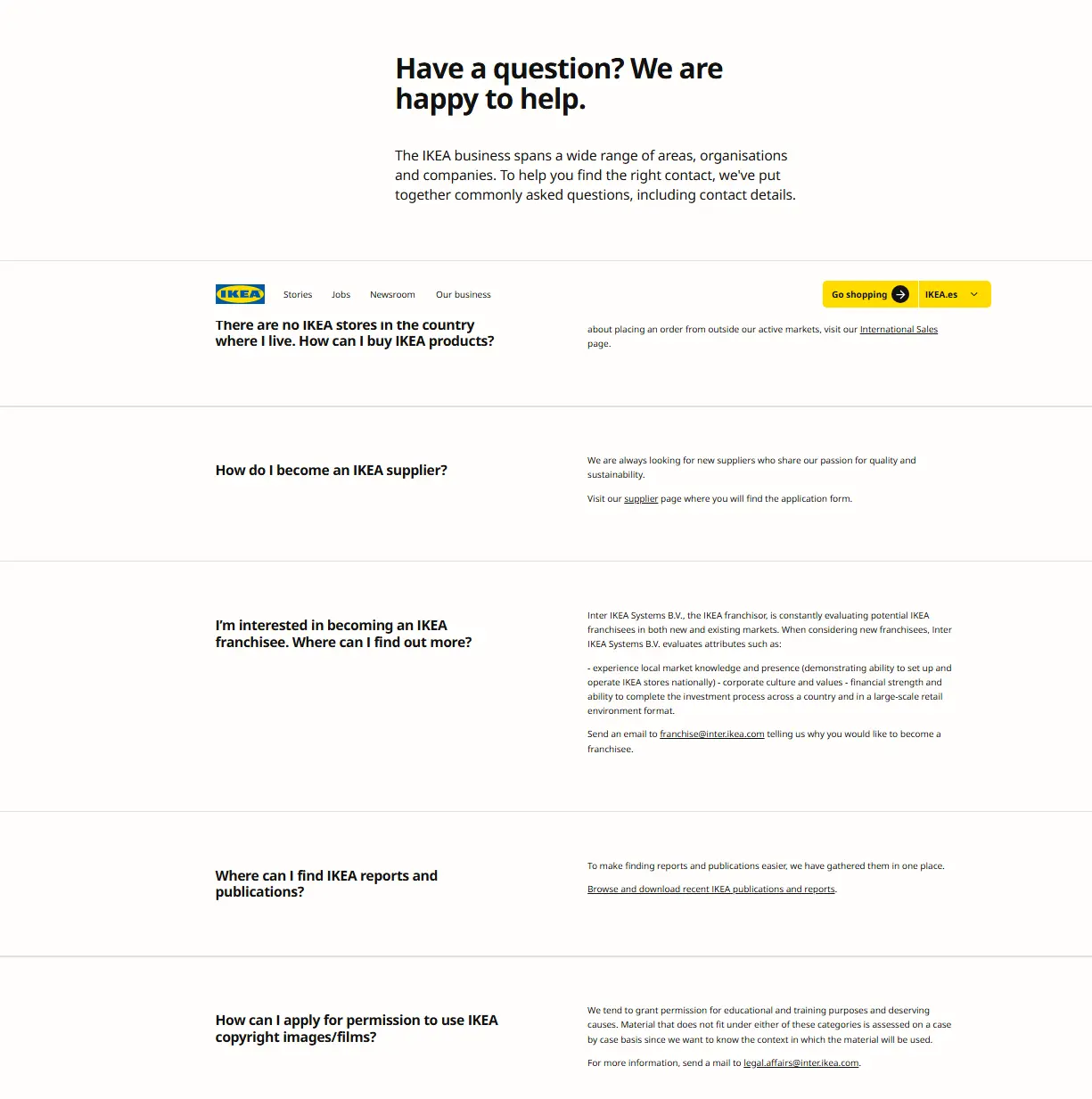
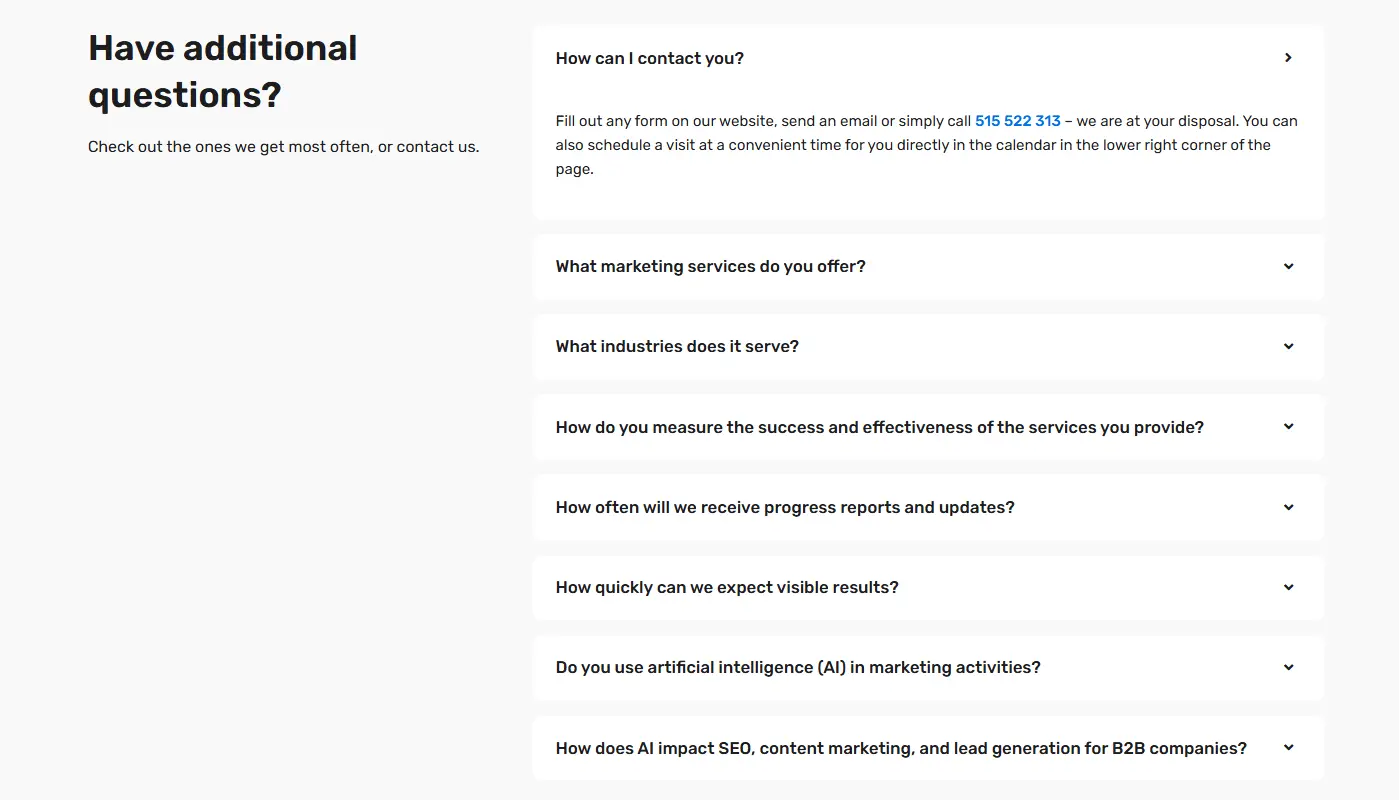
Each of these companies organizes its FAQ content into clear categories and uses intuitive website navigation. Questions related to delivery, returns, payment options, warranties, technical issues, and customer accounts are grouped into the same category, making the page much easier to browse.
These companies also use clean formatting, concise answer formats, and, in many cases, a built-in search bar. This allows users to type in their question directly instead of scrolling through the entire page. In addition, many of these FAQ pages include links to product pages, service pages, help center articles, and other additional resources, making them even more useful.
What makes these examples especially effective is that each FAQ section is tailored to the nature of the business and the needs of its target audience. An online fashion retailer focuses on sizing, returns, and delivery, while an electronics retailer provides more detailed answers about warranties, technical support, and product setup.
By taking inspiration from these examples, you can create your own FAQ page that not only answers common inquiries but also improves customer satisfaction, reduces the workload of your customer service team, and supports your overall SEO strategy.
We will create a strategy for your website
Meet Rodin, a team of specialists from different fields who understand that a website is much more than a digital business card. A successful website should attract attention, answer customer questions, support search engines, and encourage users to take action.
We can create a well planned FAQ section for your website that reduces repetitive questions, improves the customer experience, and increases consumer trust. At the same time, we will help improve your website’s visibility in search results and drive more qualified traffic to your business.
We offer comprehensive services related to website creation and optimization, including:
- Designing modern, responsive websites tailored to your business goals and the needs of your target audience.
- Upgrading existing websites by improving their design, functionality, and SEO performance.
- Increasing visibility in search results through the latest SEO techniques and relevant keywords.
- Integrating websites with content management systems and analytical tools.
- Providing ongoing technical support while ensuring your website remains secure, up to date, and fully functional.
A professionally designed FAQ page can become one of the most valuable sections of your own website. It empowers customers, helps them find answers independently, and supports them throughout the entire buying process. Investing in a stronger FAQ strategy today can help you attract more customers and build a more successful business in the future.